
When did you last use your school website the way a busy parent does?
Most of us visit our own sites to update them, not to find something in a hurry. The 10 Second Test shows you your website as your community sees it.
What the test does and why 10 seconds matters
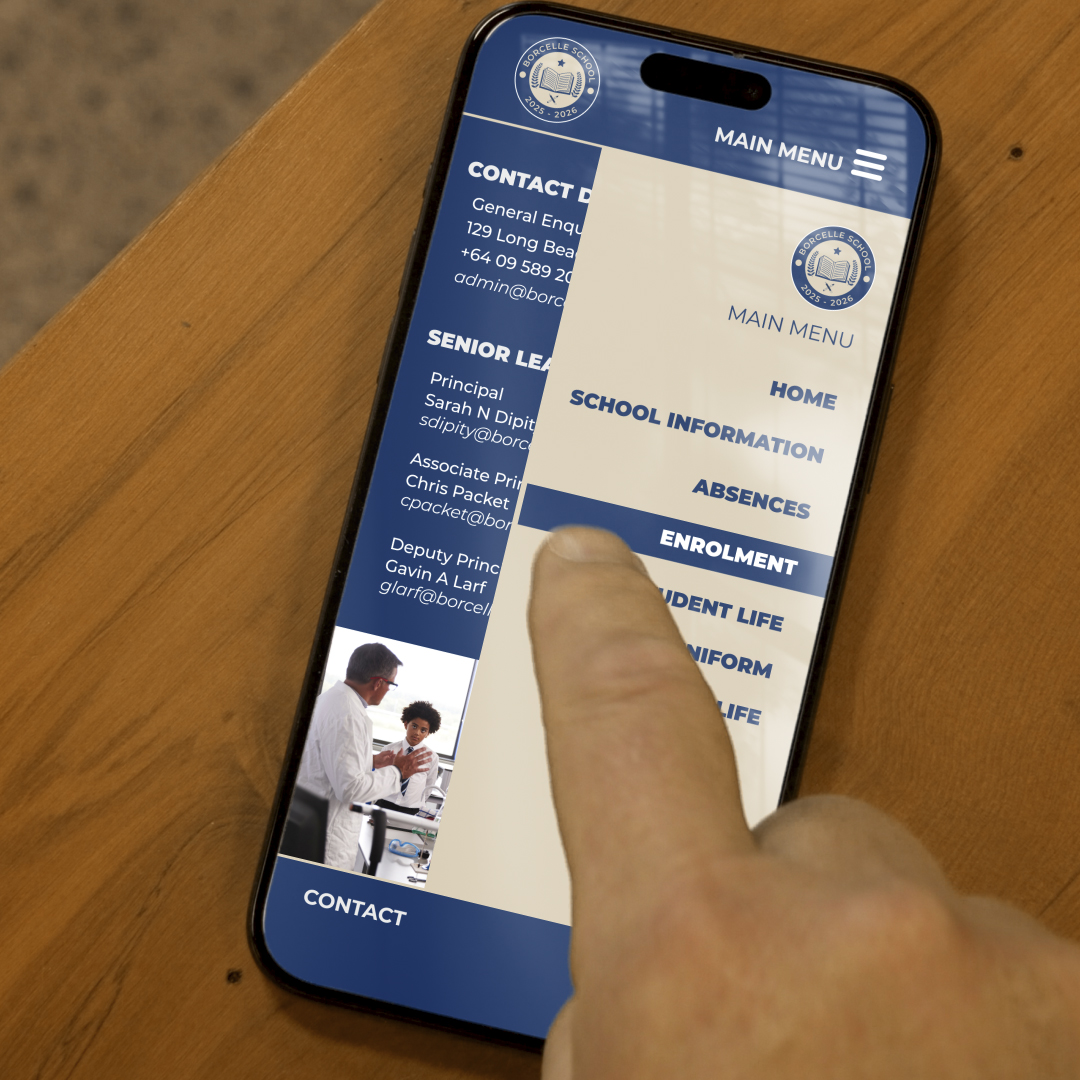
The test checks whether a visitor can find the most important information before giving up and leaving. People rarely browse a school website. A parent is checking whether Monday is a teacher-only day. A caregiver needs the office number while standing in a car park. A new family is deciding whether to enrol.
The test measures navigation, not content. It shows how quickly families can reach what they need, or whether they get lost in menus and sub-menus. Once they arrive, the information still needs to be accurate and current.
Ten seconds is roughly how long people give a site before deciding if it is useful.
If the answers they need are not visible by then, existing families call or email your team, taking up staff time, and prospective families may move on to another school’s site.
Your website is often a family’s first impression of your school, and it can influence enrolment decisions.
The three things a visitor should find first
1. Term dates. These are among the most searched pages on any school website. They should be within one tap of the homepage and readable on a phone without zooming or downloading a PDF.
2. How to contact the school or staff. A visible phone number, email and physical address, plus a clear way to reach the office, the principal or a year-level team. Include absence reporting and after-hours emergency contacts.
3. The enrolment process. Families should see what to do, which documents they need, key dates and who to speak to. Include zone and out-of-zone information if it applies.
For international students, provide a dedicated page linked from the main enrolment section.
It should cover fees, visa requirements, homestay or accommodation, English language support and application deadlines. If international students are a core part of your school community, consider linking the page directly from the homepage. Add a named contact and an online application that works on a phone.
All three pages should offer links to further information, such as the school calendar, the staff directory, and enrolment forms and FAQs. Give the quick answer first, with a clear path to the detail.
How to run the 10 Second Test on your phone
- Use your phone on mobile data, not school wifi, and open a private browsing tab.
- Set a 10 second countdown timer.
- Start the timer as you search for your school by name or type in your web address.
- Find the term dates, then stop the timer and note your time.
- Reset the timer and repeat for the contact page, then for enrolment.
- Did the alarm sound before you got there?
If you reached all three pages before the alarm, your navigation is working well. If not, the fixes below will help.
For a fresh view, hand your phone to someone who has never used the site, such as a new staff member or a parent at pick-up. They will find problems you cannot see. Record your results, share them with your senior leadership team and give someone ownership of repeating the test each term.
Three common fixes if your site fails
Rework your homepage navigation. Menus built around internal structure (“About Us”, “Our Learning”) often hide what visitors want. Add quick links near the top for term dates, contact and enrolment, in plain language.
Move key information out of PDFs. PDFs are slow to open on a phone and hard to keep current. Put essentials on a web page and offer the PDF as an optional download.
Check page speed and mobile layout. Compress large images, remove unused plugins and make buttons big enough to tap with a thumb.
Your website should:
- Show term dates within one or two taps of the homepage
- Display a contact link on every page
- Provide a staff directory or a clear way to reach the right person
- Explain enrolment step by step, with forms and key dates
- Include a dedicated page for international students
- Link each key page to further information
- Work well on a phone, with readable text and tappable buttons
- Avoid relying on PDFs for essential information
- Be reviewed every term so dates and contacts stay current
Run the test this week and share the results with your team. If you would like help reviewing your school website, the team at Spacific Creative would be glad to talk.