
Keeping your student photos safe when using AI
(an opinion piece)
Photos are part of school life. Athletics days, prizegiving, Kapa Haka performances and camps all end up in newsletters, on websites and in yearbooks.
Families love seeing them, and they help build a strong school community. Generative AI has added a new consideration, and it is worth a few minutes of every teacher’s time.
What has changed?
In New Zealand in 2024, AI-generated fake explicit images of students circulated at a North Canterbury high school.
Around 15 students were targeted, and the principal held a school assembly, notified parents and reported the images to police. Months later, many of the students still felt violated, and support for them was ongoing.
Overseas, in 2026 the United Kingdom’s Safer Internet Centre briefed schools on a case where criminals took photos from a school website, used AI to turn them into abuse material, and tried to extort the school.
Cases like these are still uncommon, but they show how an ordinary digital photo can be misused once it is public.
There is also a quieter risk. Free and consumer level AI editing apps often keep uploaded images, and some use them to train their models by default. In September, OpenAI reported that its research agents had posted 53 user images to outside websites, and it could not tell whose they were.
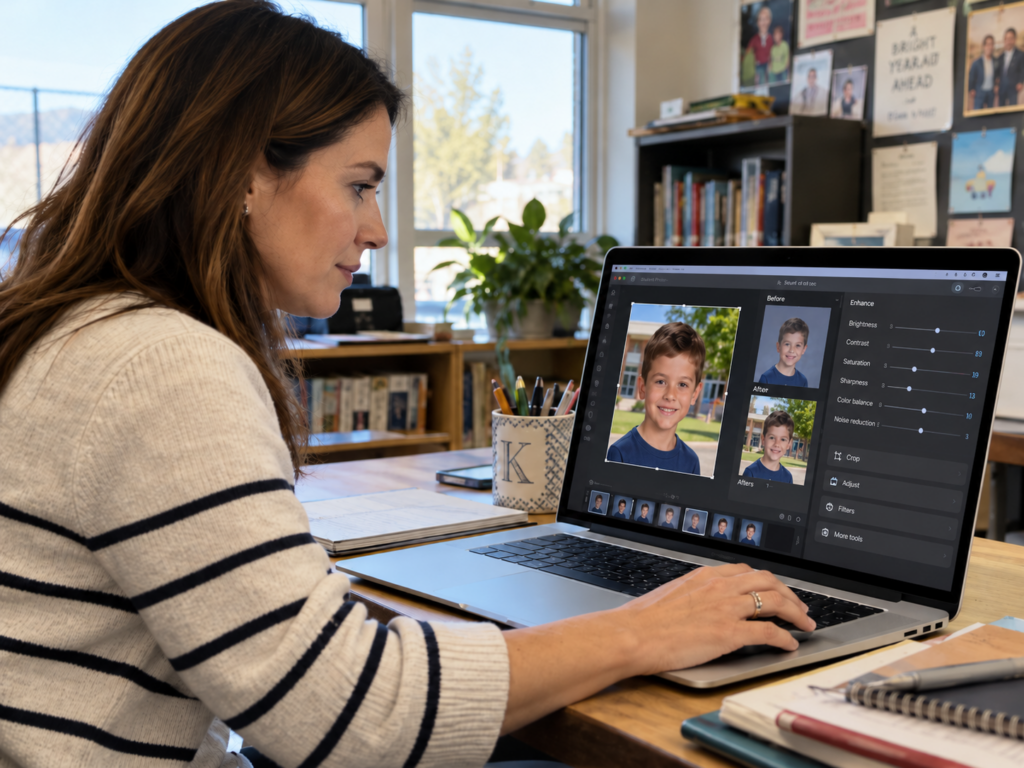
When a teacher innocently tidies up a student photo on a personal AI account, removes a distracting background, improves the weather, then that child’s image has left the school’s control.
Who can help?
Several New Zealand organisations monitor online harm and can support schools, students and whānau.
- Netsafe is the Approved Agency under the Harmful Digital Communications Act. It runs a free helpline, can ask platforms to remove harmful content, and provides resources for schools.
- The Department of Internal Affairs, Digital Child Exploitation Team investigates child sexual abuse material online and runs a filter that blocks access to known abuse sites.
- NZ Police investigates online child exploitation through its specialist OCEANZ team. If a child is in immediate danger, call 111. Otherwise, call 105 or report online.
- Office of the Privacy Commissioner handles privacy complaints and receives notifications of serious privacy breaches.
However, prevention is far easier than repair. Once an image has been copied, altered or shared online, it can be almost impossible to remove, and the harm to a student can continue long after the incident. Every teacher who takes, stores, edits or shares a photo of a student is handling that student’s personal information, so each image deserves the same care as their school records. A few simple habits make a real difference.
Practical steps for teachers
- Before you share anything. Check the consent register, and make sure the family has agreed to that specific use.
- AI editing apps and chatbots (for example ChatGPT, Gemini, Grok, VSCO, or the AI tools built into phone galleries). Only use tools the school has approved, on a school-managed enterprise/education account as they have very tight data retention policies. Never upload student images to a personal or free account, including on your own phone. Rename files so they do not contain a student’s name and remove location and time data before uploading.
- Public channels (the school website, public newsletters, Facebook, Instagram and YouTube). Leave full names out of captions, file names and alt text, and do not tag students. Favour group or action shots over close-up portraits.
- Password-protected spaces (the school intranet, Google Classroom, Seesaw, Hero, class blogs and online yearbooks). First names are usually fine here, but these spaces are not fully private, because anyone with access can screenshot and share. Check that consent covers the platform and keep online yearbooks and galleries behind a password.
- Any platform. Never use AI to change how a student looks.
- If something goes wrong. If you come across a manipulated image of a student, do not forward it. Note where you saw it and tell your principal straight away.

The school’s responsibilities under New Zealand law
The Privacy Act 2020 applies to every school, and the Ministry of Education is clear that responsibility for compliance sits with the school.
- Consent and purpose. Photos can only be used for the purposes families agreed to. Consent for the newsletter does not stretch to AI editing or an online yearbook, so list each use separately and refresh consent every year.
- Security and retention. Images need reasonable safeguards and should not stay online longer than needed.
- Third parties. The school stays responsible for images a provider handles on its behalf, including on overseas servers.
- Generative AI. The Privacy Commissioner expects a Privacy Impact Assessment before an AI tool is used, with senior leaders approving each one.
- Breaches. Section 201 of the Privacy Act requires every school, to have at least one privacy officer. A breach likely to cause serious harm must be reported to the Commissioner as soon as practicable.
School boards also have a duty under the Education and Training Act 2020 to provide a safe physical and emotional environment. Sexualised images of children are objectionable material however they are made, so involve the police and Netsafe if one appears.
The bottom line
None of this means fewer photos. Celebrating students matters. It simply means a short pause before each upload: which tool, whose account, and did this family agree? Those few seconds are well spent.
Useful links
https://netsafe.org.nz/artificial-intelligence/generative-ai-tools
This blog contains AI generated images, it’s not all bad.